Orders in seconds
Sizes, colours and print methods, promo items, customer-provided items, rush orders — and a suggested price from your own costs.
Take orders in seconds, move every job through production, print branded labels and receipts, and always know who still owes you. On your computer and your phone.
No spreadsheets, no lost WhatsApp threads. One app that follows every job from order to pickup.
Sizes, colours and print methods, promo items, customer-provided items, rush orders — and a suggested price from your own costs.
Every job moves through artwork, printing, QC and packing. Rush and late jobs come first, and a shop board shows the day.
Branded pickup labels with your logo and QR code (seasonal designs included), invoices, receipts and payment reminders.
Contacts with order history and balances, company names, saved embroidery designs and one-tap WhatsApp, text or email.
Blank shirt stock, low-stock alerts, supplier prices and purchase orders built from what your jobs actually need.
Monthly financials with sales tax, expenses and profit, job profit, Excel downloads and a daily summary on WhatsApp.
Real screens from PrintShop Task Manager, shown with a demo shop.
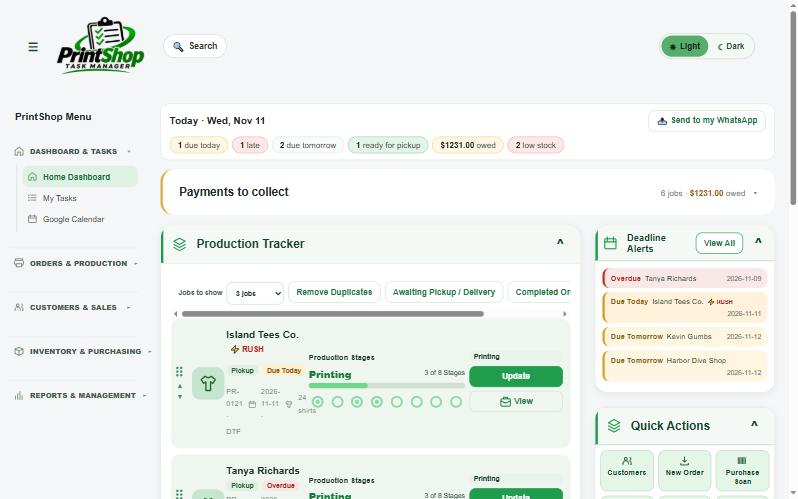
Open the app and see what matters right now: jobs due today and tomorrow, late jobs, orders ready for pickup, money still owed and low stock.
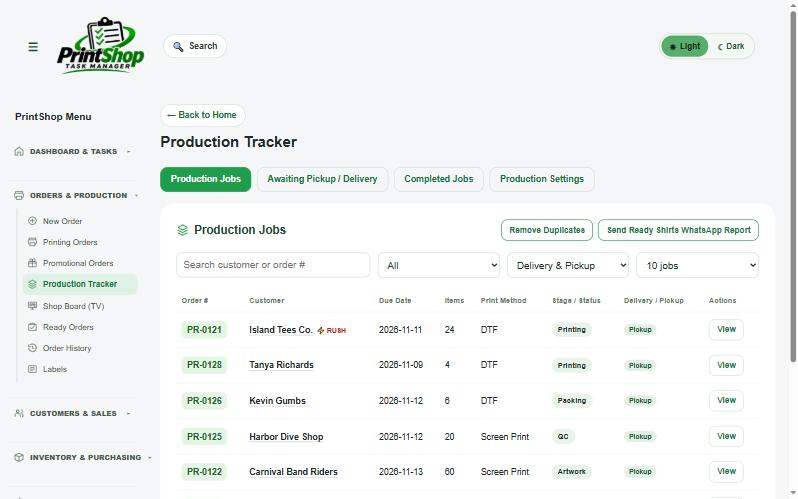
Every job moves through Artwork, Printing, QC and Packing to Ready. Rush and late jobs rise to the top so nothing slips.
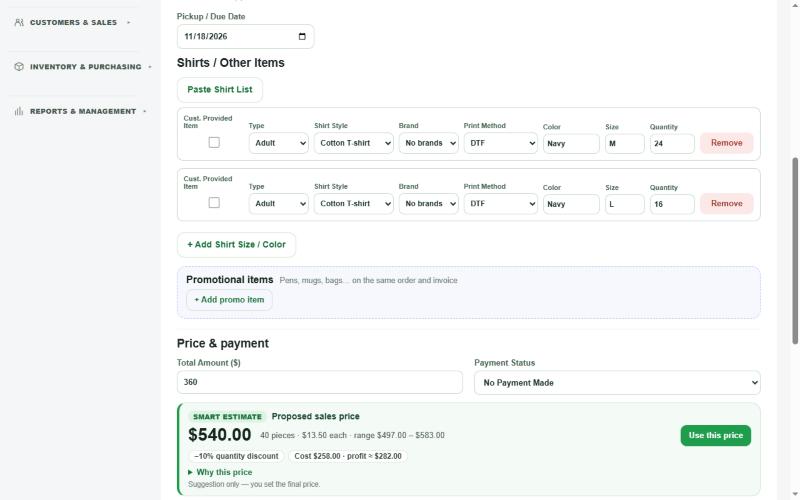
Pick the customer, add garments with sizes and colours, choose the print method, and the app suggests a price from your own blank, ink and labour costs.
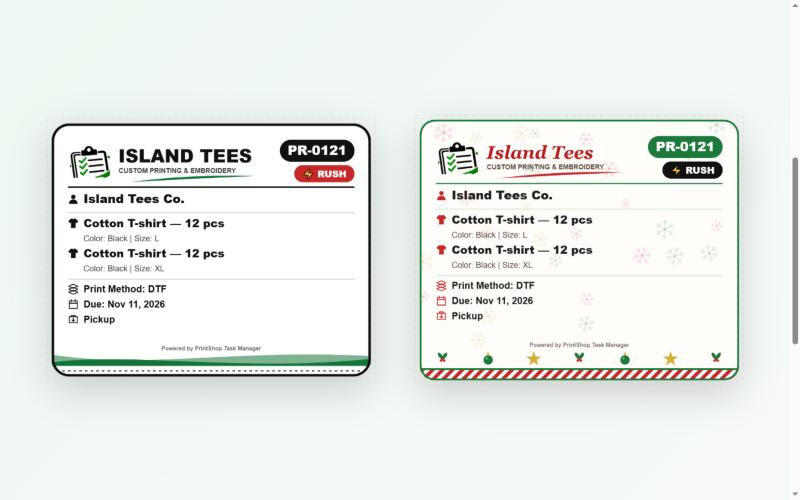
Print pickup labels with your logo, the customer name and a QR code. Seasonal designs for Christmas, Carnival, Halloween and more are included.
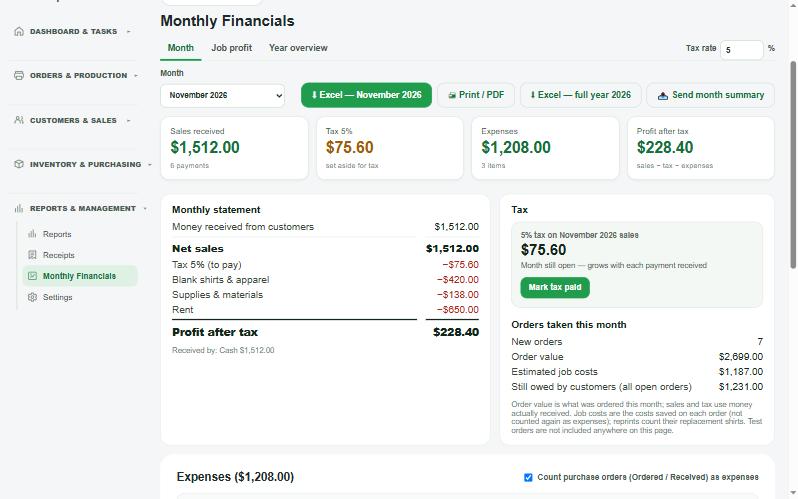
Money received, refunds, sales tax, expenses and profit for each month, plus profit per job, so you know which work pays.
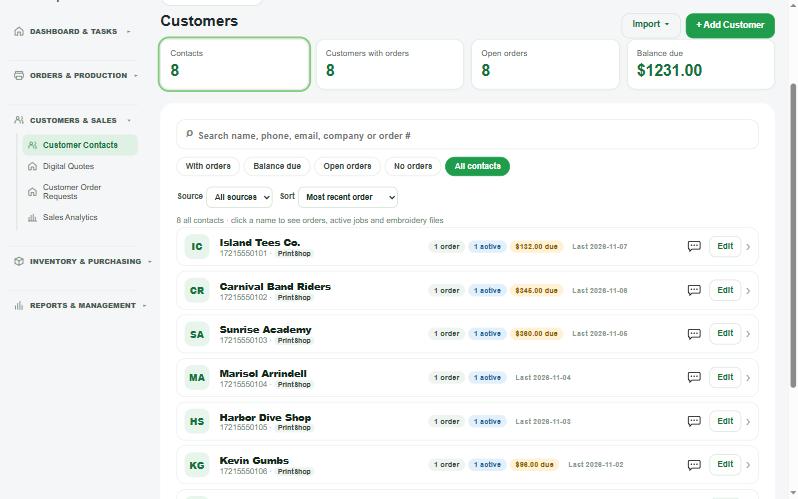
Contacts with order history, what they still owe, company names and saved designs. Message them by WhatsApp, text or email in one tap.
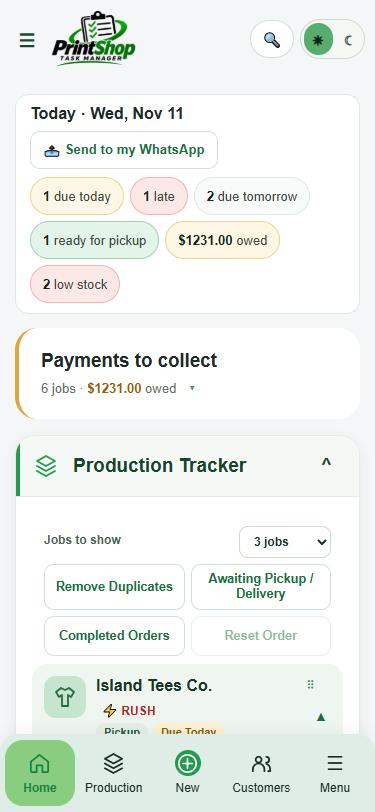
The same app works on your phone, tablet and computer. Your data stays in sync, so you can take an order at the counter and check it from home.
Add your shop name, logo, prices and sales tax. Import your contacts from Google or a file.
Shirts, caps, promo items: the app suggests a price and creates the production job.
Move jobs to Ready, print the pickup label, send the receipt and track every payment.
Start free for 14 days. Pick a plan when you're ready. Prices in US dollars.
Your free trial includes every Pro feature. Taxes may be added at checkout depending on your country. Cancel anytime — see our Refund Policy.
No. Create an account with your email and use everything for 14 days. Choose a plan only if you want to continue.
Yes. Each shop's data is kept separately and only your account can see it. We never sell your data. See the Privacy Policy.
Your data stays safe and you can still sign in to view and download it. You just can't add or change orders until a plan is active again.
Yes — in any modern browser on computers, tablets and phones, and it can be added to your home screen like an app.
Yes. Import them from Google Contacts or a contacts file, so you don't have to type them in again.
Yes. Sign in on as many devices as you like with your shop account. The counter computer, your phone and a tablet on the shop floor all show the same jobs.
Any time. Download a full backup file from Settings, or export orders and financials to Excel.
Try PrintShop Task Manager free for 14 days. No card needed.
Start your free trial